Using a Single Policy Schedule
Use a Policy Schedule
Access the EC2 Console
- Navigate to the Lifecycle Manager.
- Click on Next step.

In the Settings Step, Target Resources
- For Target resource type, choose Volume.
- Filter by tags, specifically FCAJ-Volume.
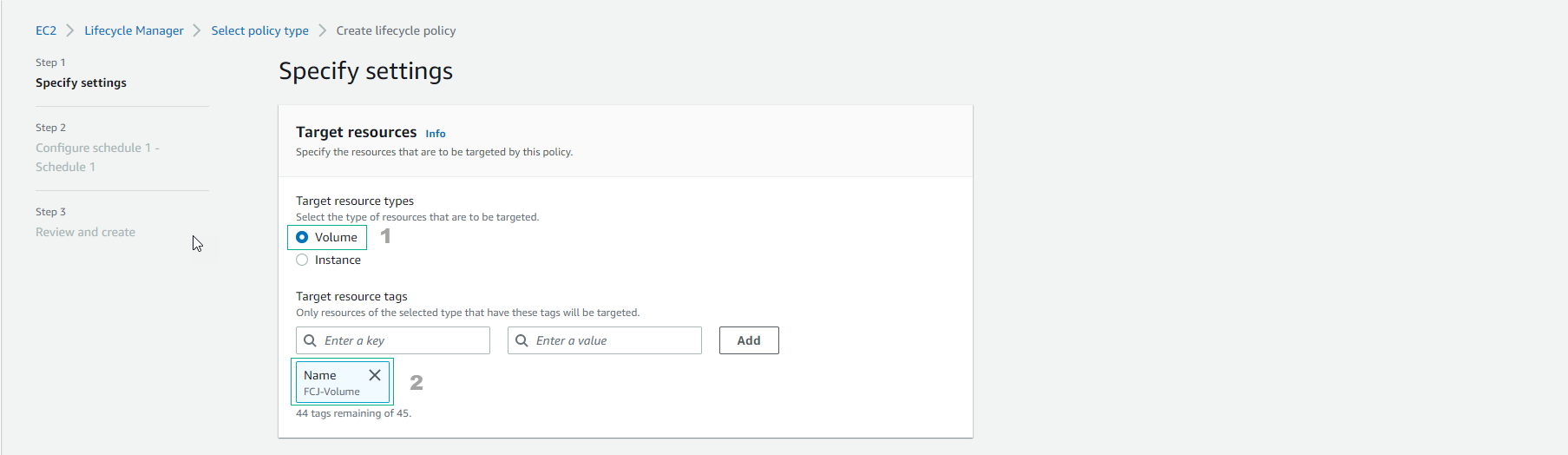
Utilize the Default IAM Role

Proceed by Selecting Next
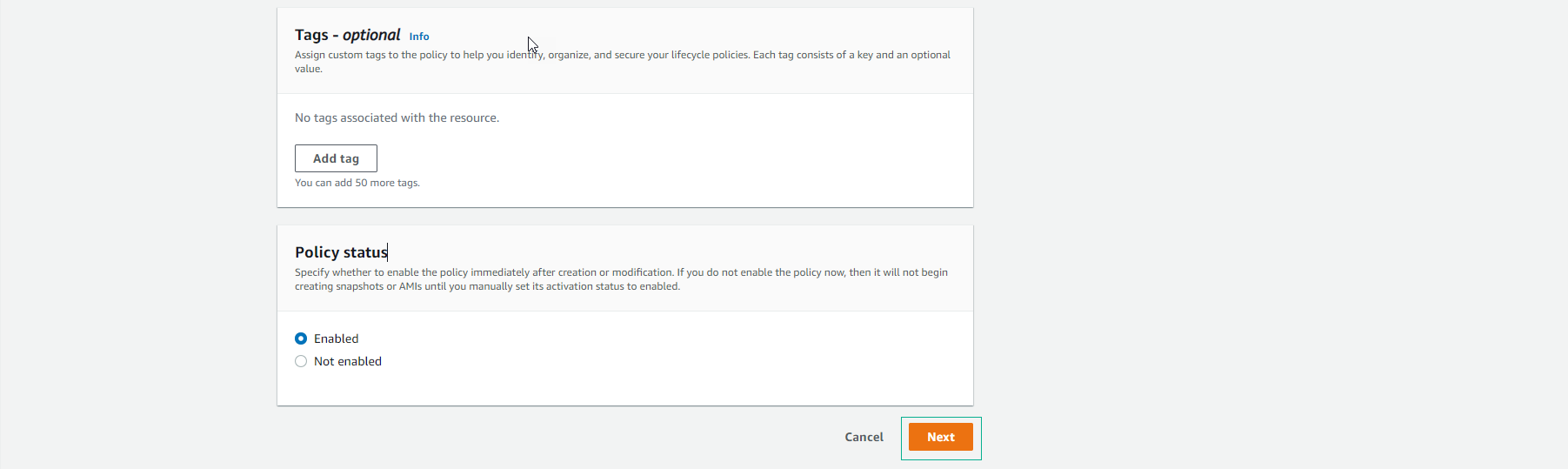
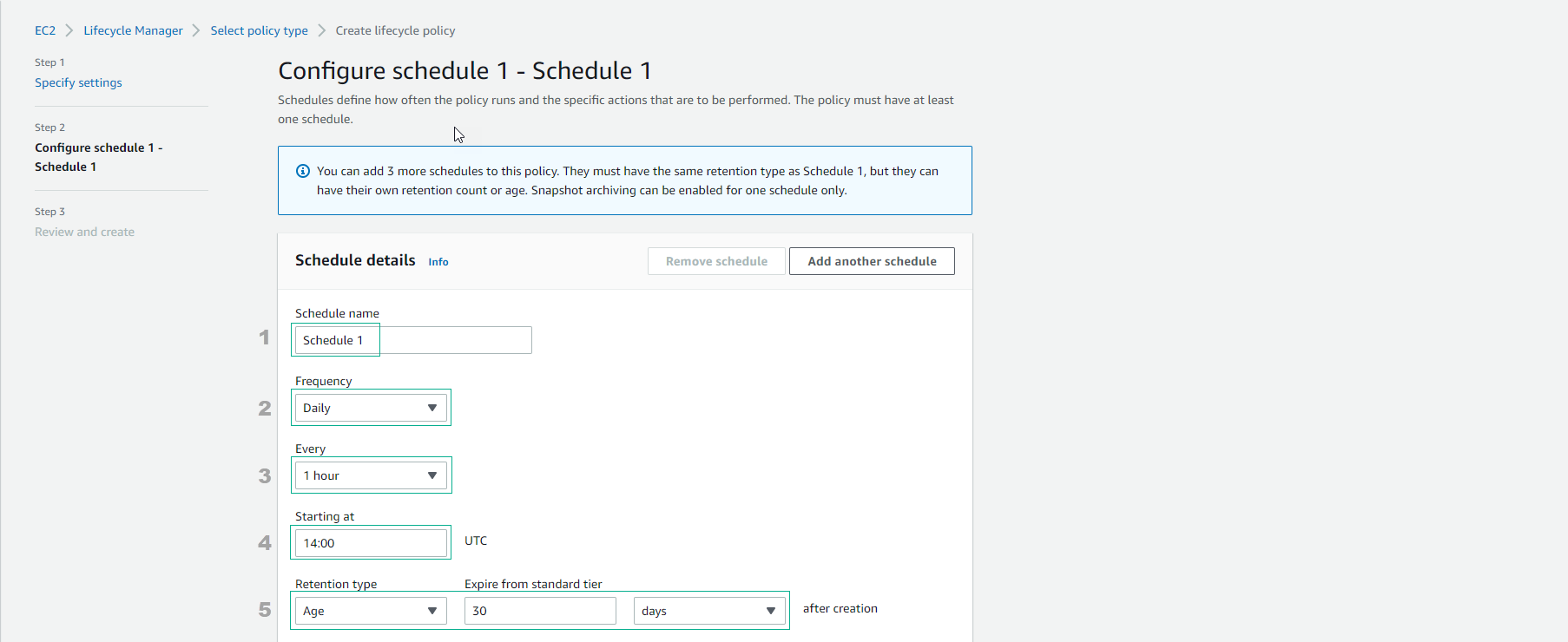
Configure the Schedule
- This step involves setting up one schedule and one policy.
- In the Schedule name field, enter a name of your choice.
- For Frequency, select Daily.
- Under Every, choose 1 hour.
- Set Starting at to 05:00 or adjust as needed.
- For Retention type, select 30 days.
Review the Policy
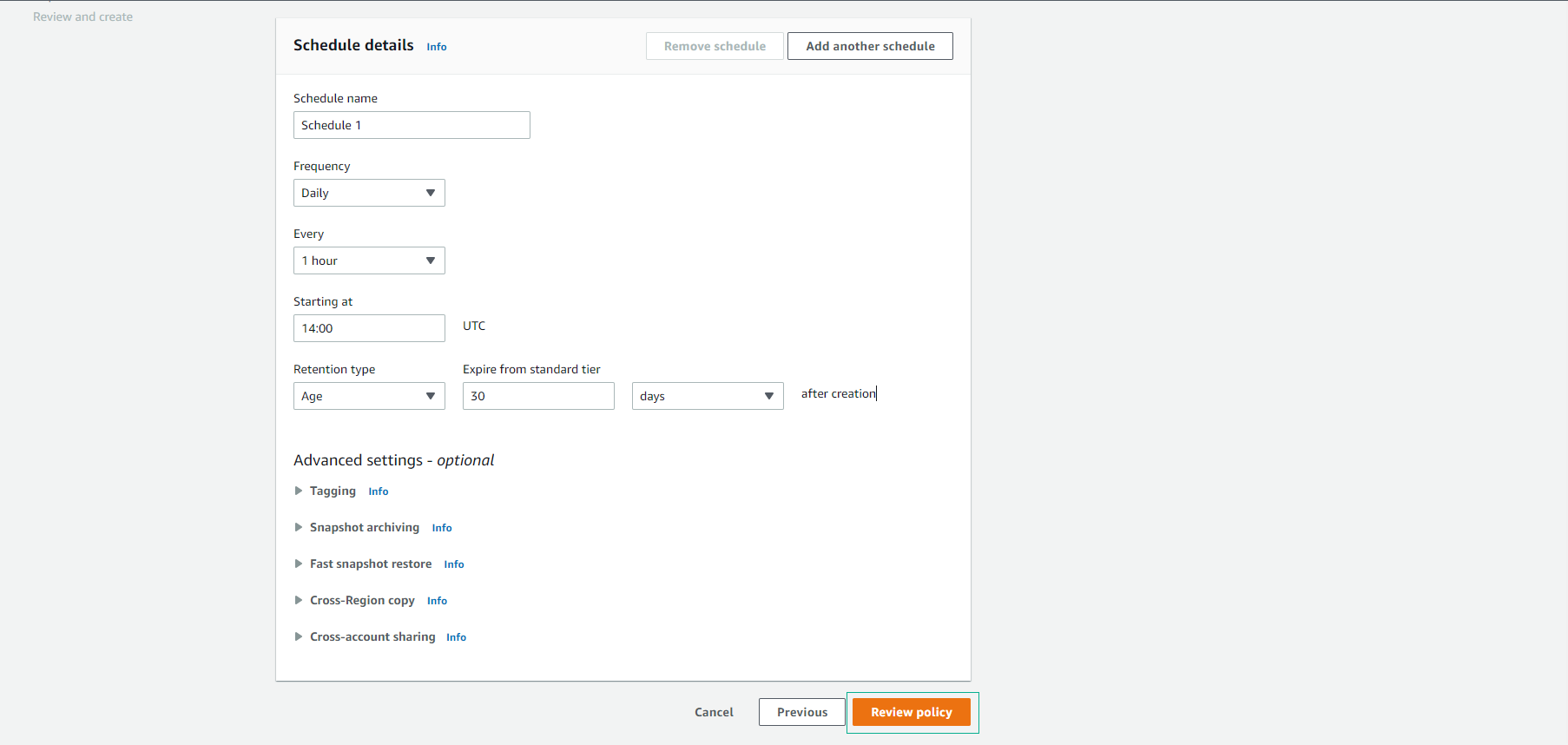
Create the Policy

Lifecycle Policy Created Successfully
