Launch EC2 Instance
Launch EC2 Instance
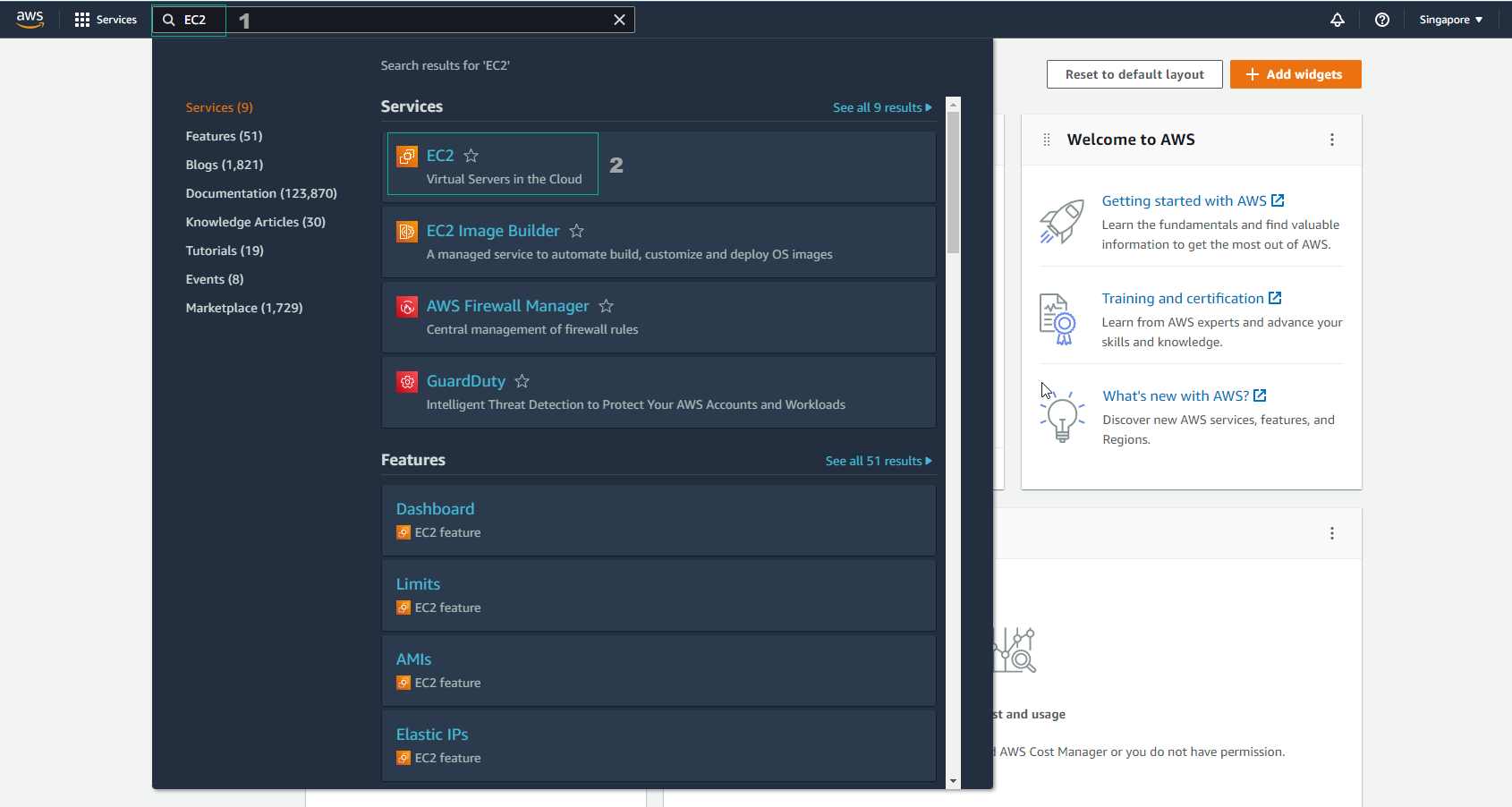
In the AWS Management Console, navigate to and select EC2.
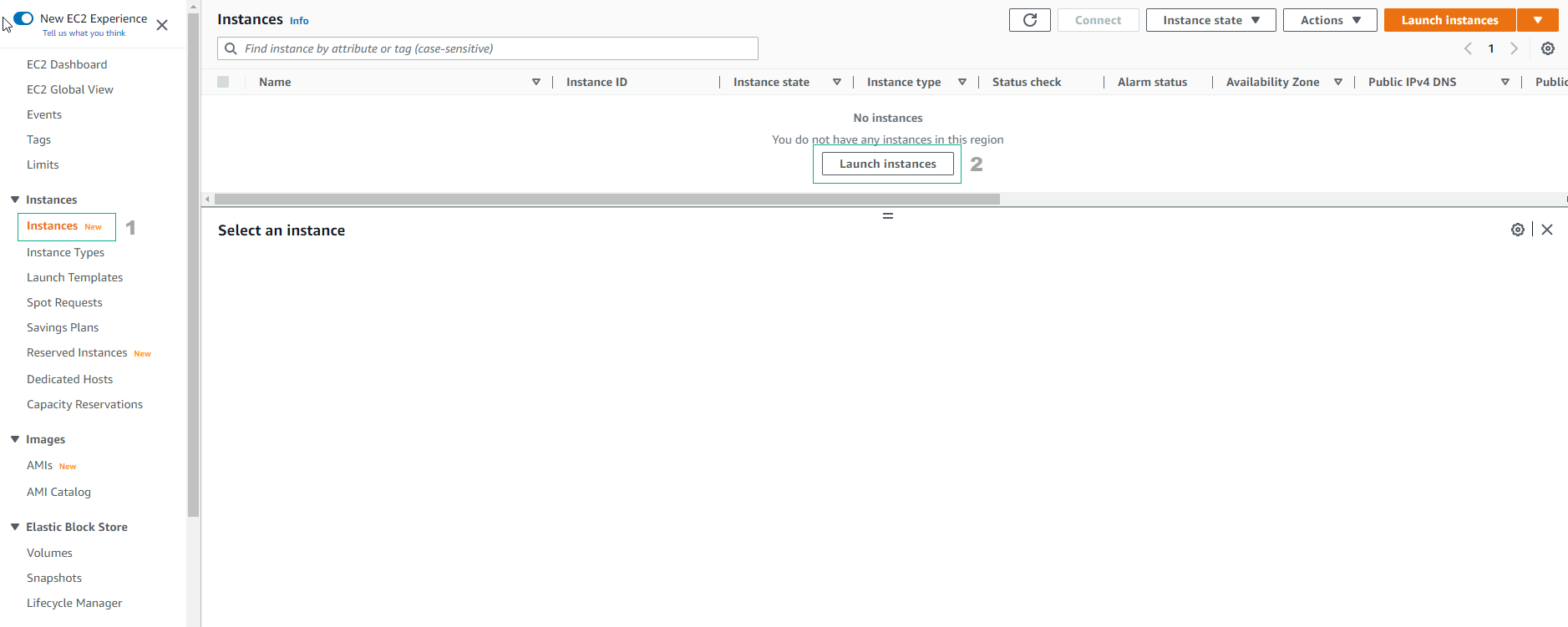
Within the EC2 console, click on Instances.
- Then, click on Launch instances.
On the Launch Instances page:
- Specify Name and tags as
FCAJ Snapshot.
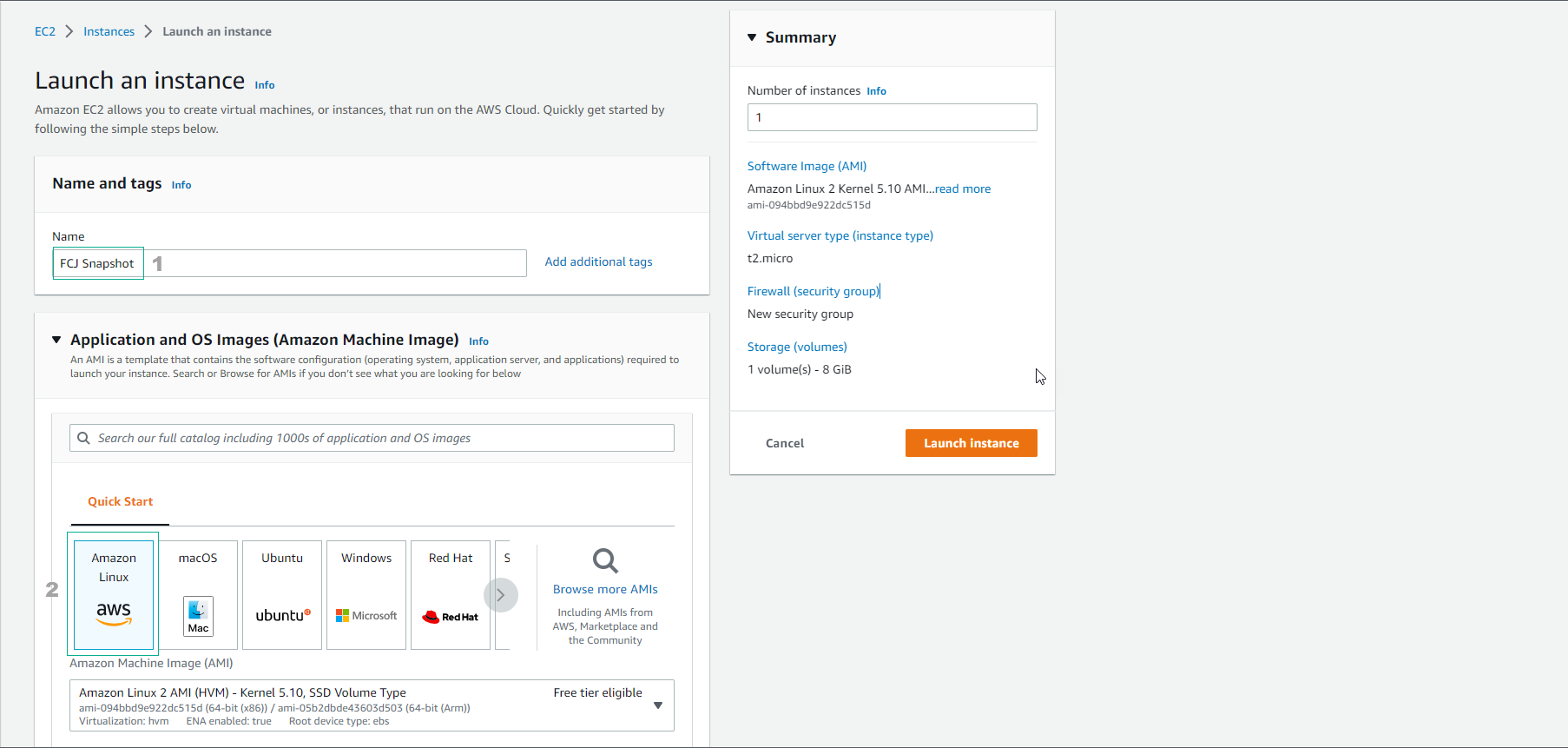
- Specify Name and tags as
Under Key Pair, you may select Proceed without a key pair (Not recommended).
- For Networking, retain the default configuration.
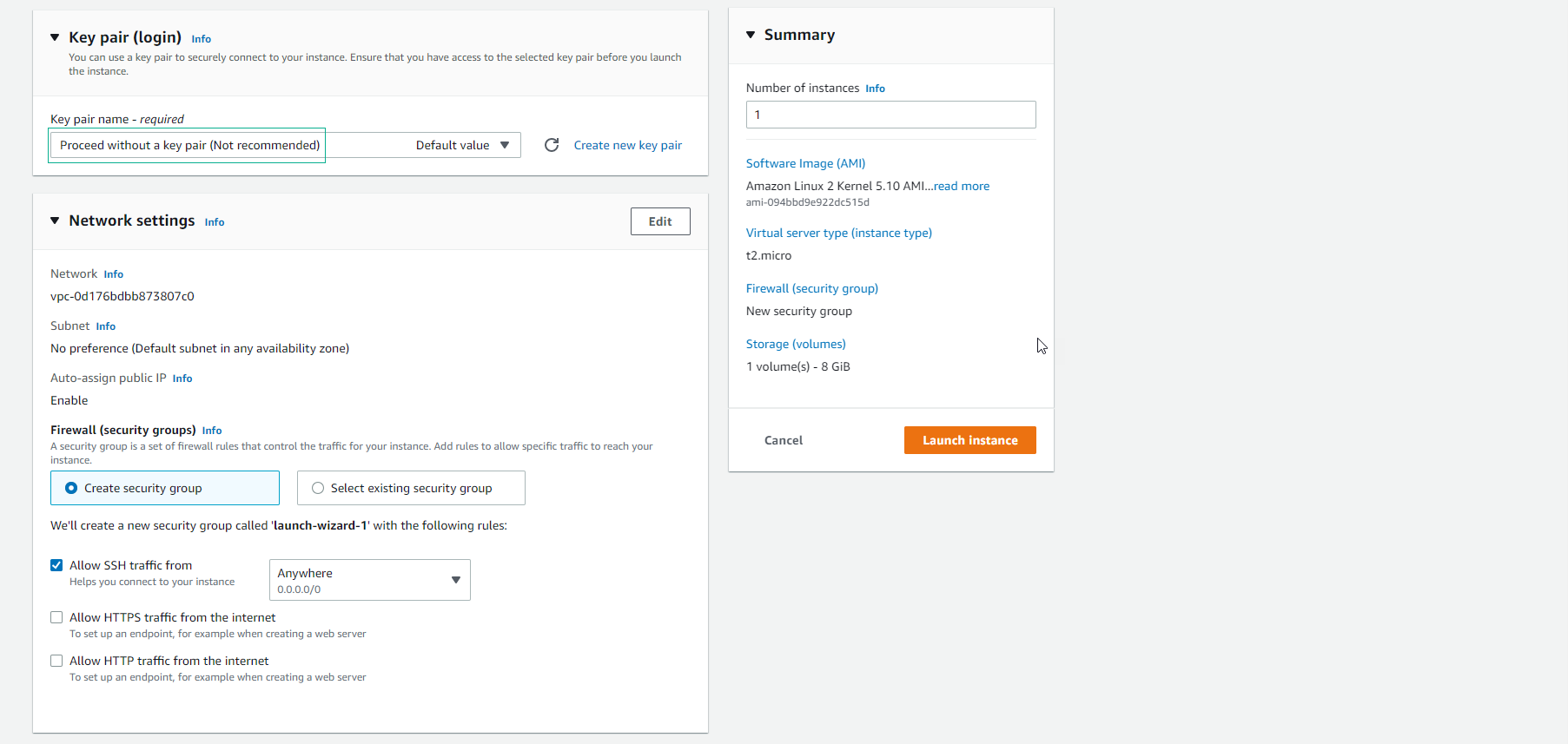
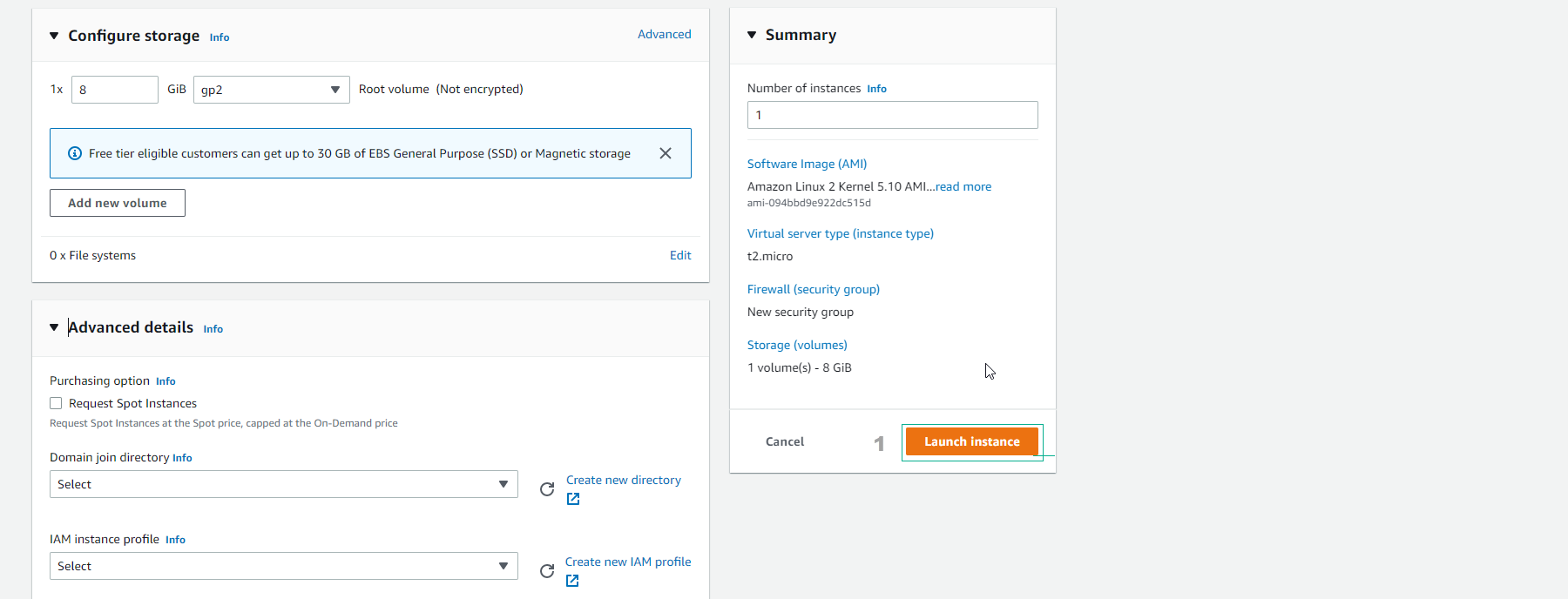
For Storage, maintain the default settings and then click on Launch instance.
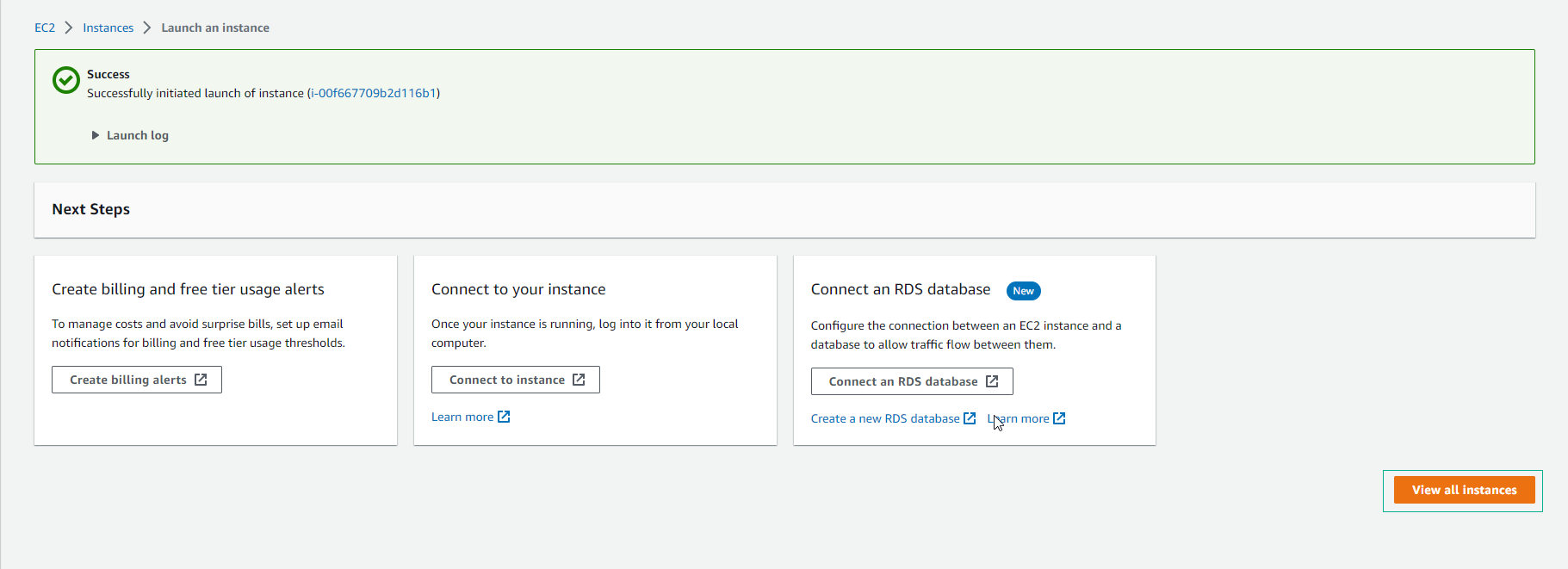
Once the EC2 instance is launched, click on View all instances.
Allow approximately 2 minutes for the instance to initialize. Wait until the Status check shows 3/3 checks passed.
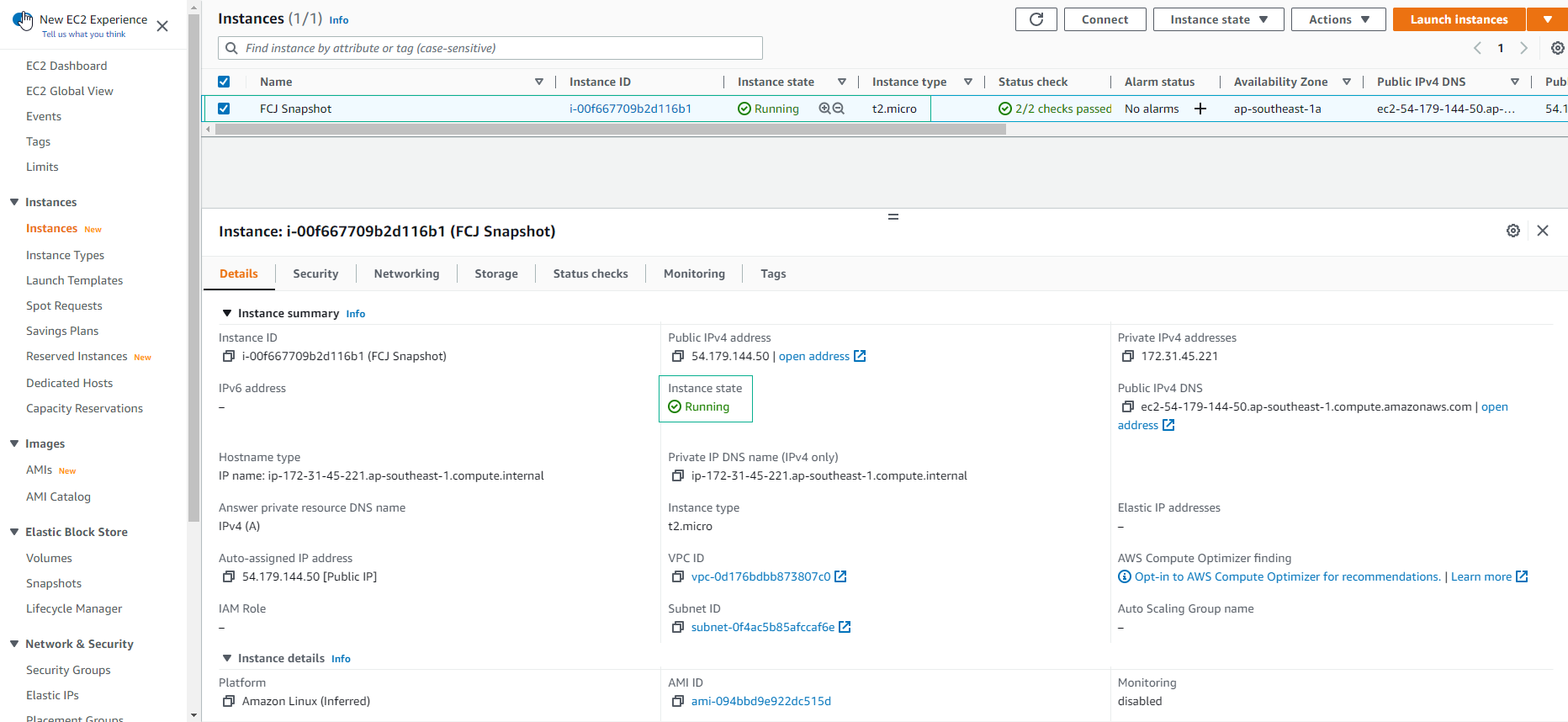
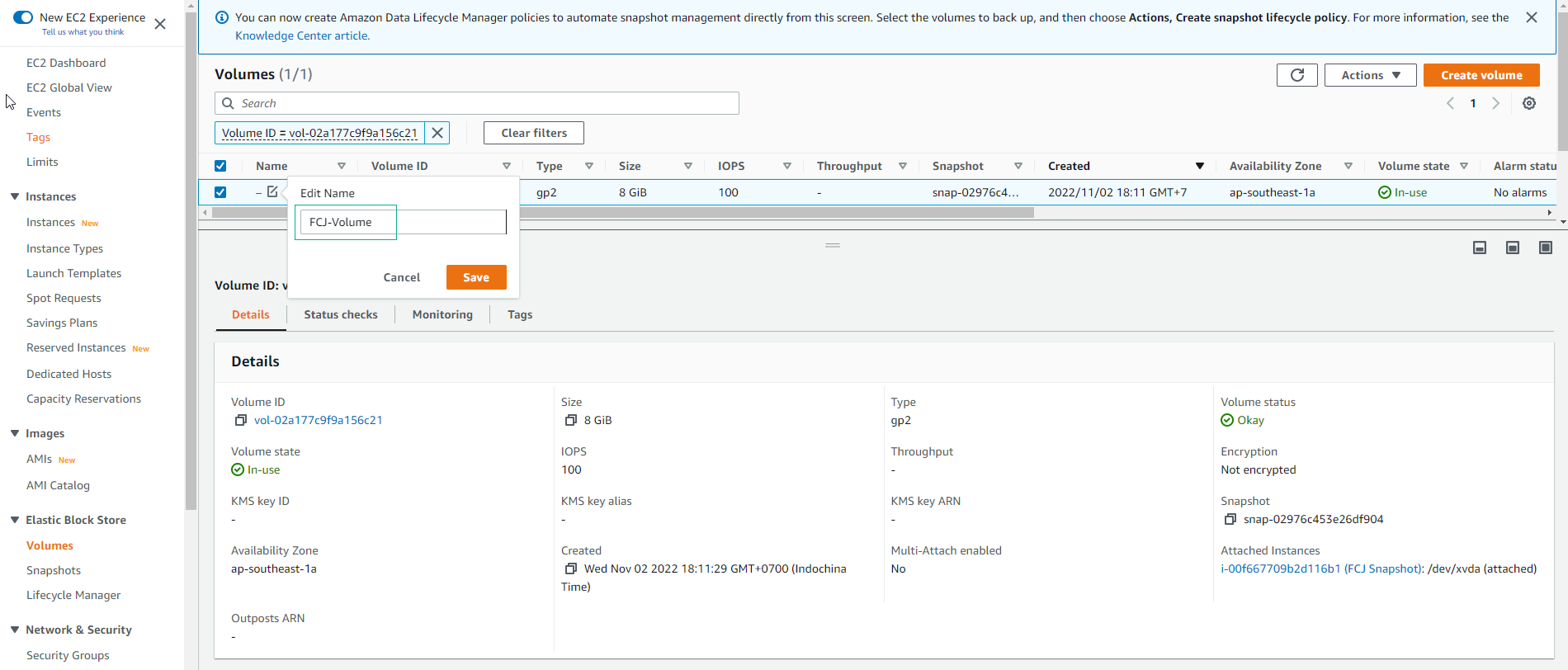
Select the newly created instance, navigate to Storage, and then click on Volume.
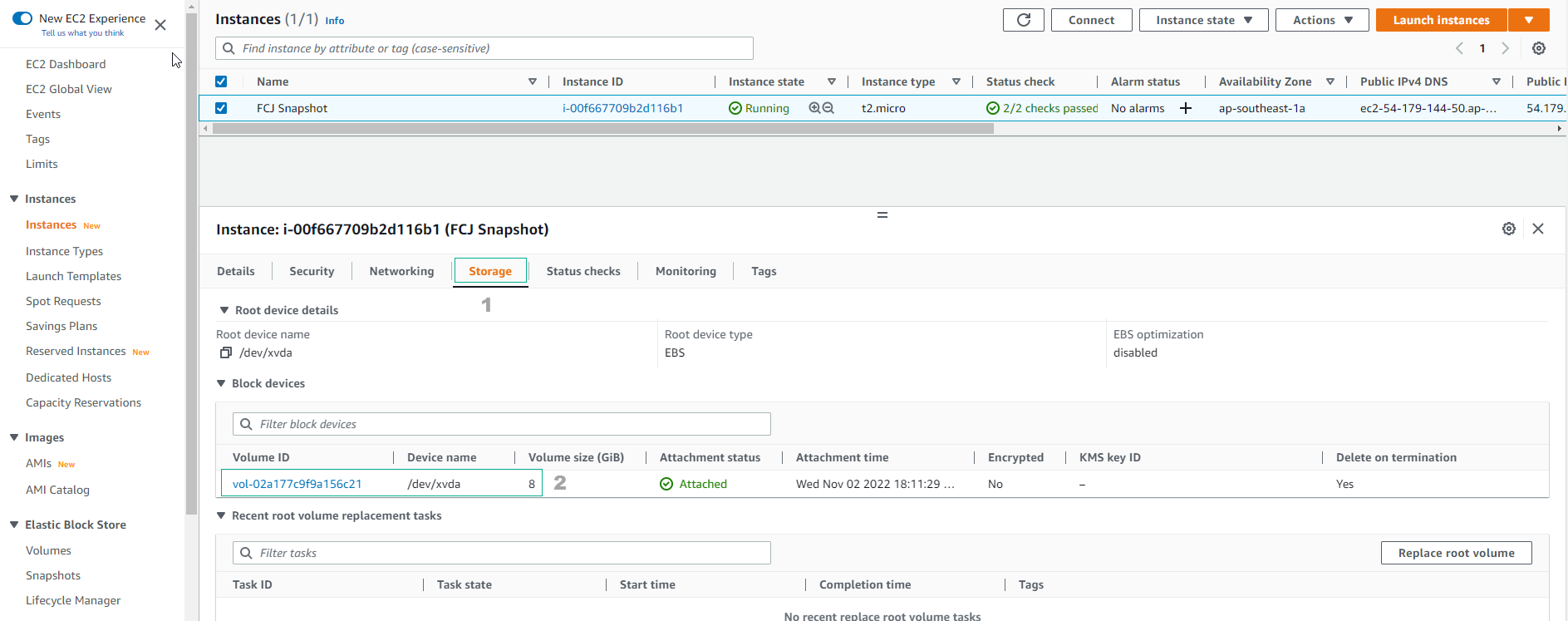
Assign the volume tag as FCAJ-Volume.